 VPN
VPN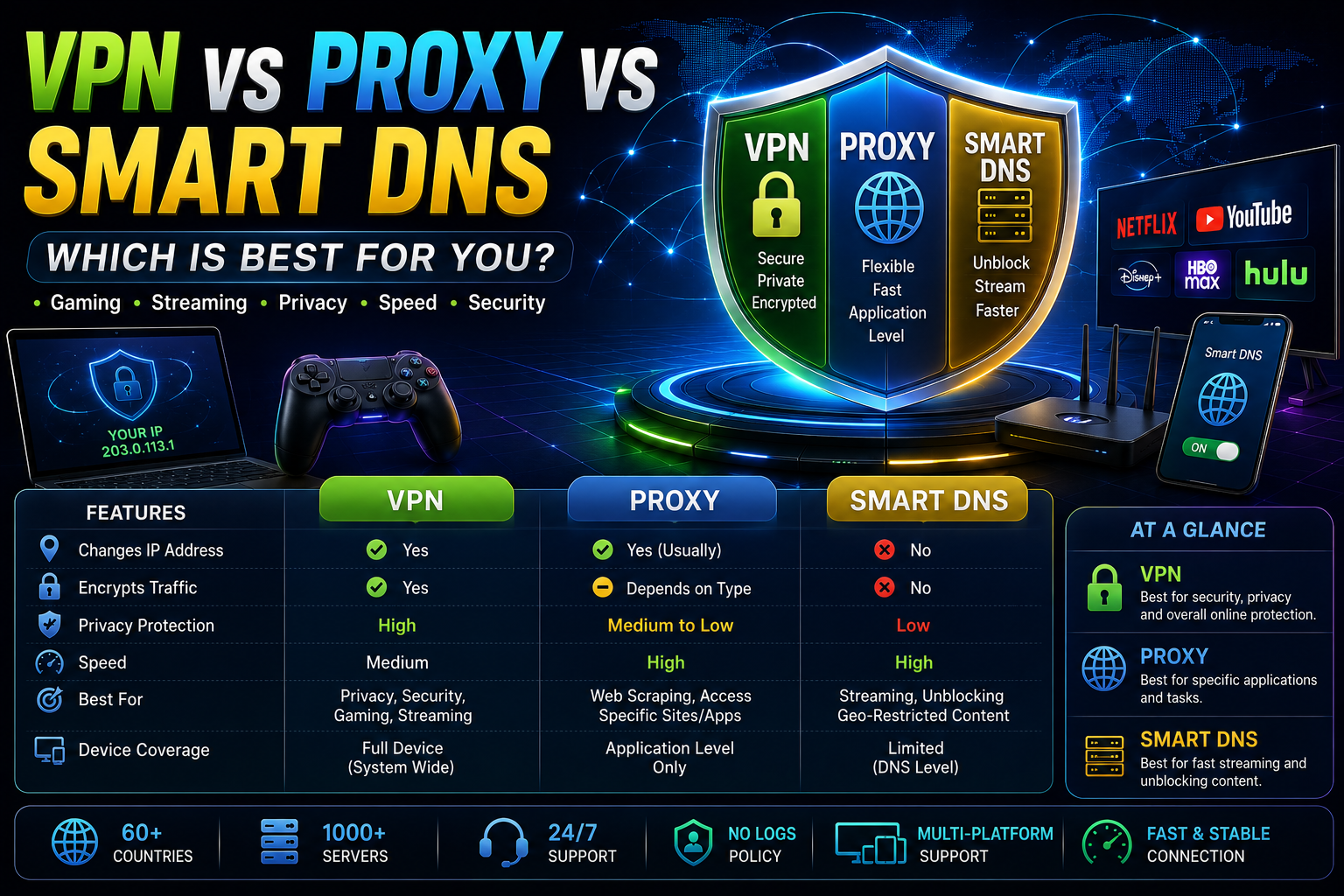
VPN vs Proxy vs Smart DNS
Which Is Best for Gaming, Streaming, Privacy & Speed?
A practical comparison of VPNs, proxy servers and Smart DNS, including security, IP protection, gaming performance, streaming, speed and device compatibility.
VPN vs Proxy vs Smart DNS: Quick Answer
VPN, proxy and Smart DNS can all help with different internet requirements, but they work in different ways.
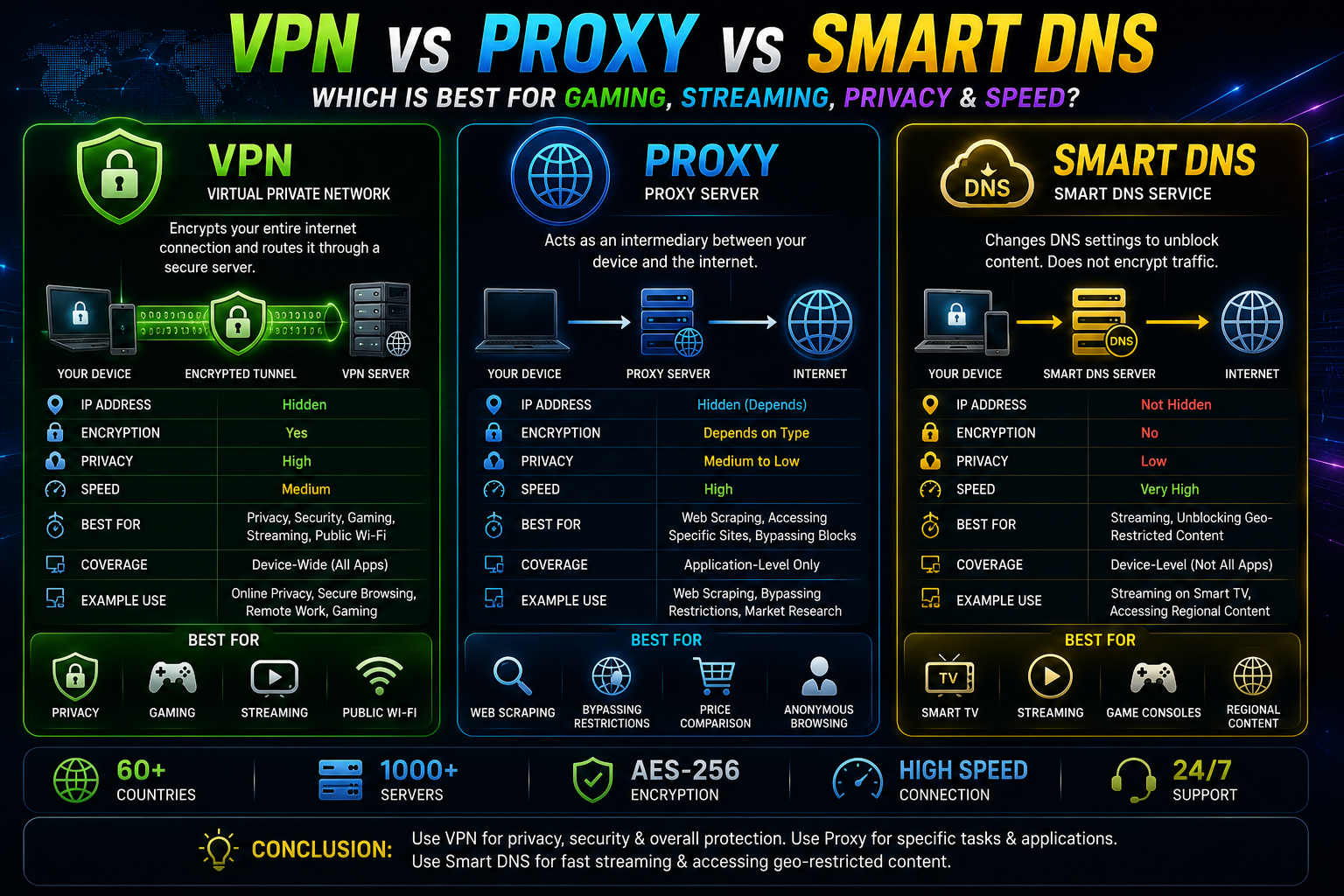
A VPN (Virtual Private Network) normally encrypts supported traffic and routes it through a VPN server. A proxy server works as an intermediary for specific applications or traffic. Smart DNS mainly changes DNS resolution for supported services and does not provide the same encryption and IP protection as a VPN.
Choose a VPN when privacy, security and IP protection are important. Choose a proxy when you need application-level proxy routing. Choose Smart DNS when lightweight streaming or location-based access is your main priority.
VPN, Proxy & Smart DNS Explained
VPN
Creates an encrypted connection between your device and a VPN server.
Privacy + SecurityProxy Server
Routes supported application traffic through an intermediary proxy server.
Application-Level RoutingSmart DNS
Selectively redirects DNS requests for compatible services.
Streaming + LocationVPN vs Proxy vs Smart DNS Comparison
| Feature | VPN | Proxy | Smart DNS |
|---|---|---|---|
| IP Address Masking | Yes | Usually | Generally No |
| Encryption | Yes | Depends on Type | No |
| Privacy | High | Varies | Limited |
| Gaming | Excellent Use Case | Application Dependent | Limited |
| Streaming | Yes | Possible | Strong Use Case |
| Public Wi-Fi Protection | Yes | No VPN-Level Protection | No |
| Device-Wide Protection | Usually | Usually No | No |
| Speed Overhead | Possible | Varies | Usually Low |
What Is a VPN and How Does It Work?
A VPN creates an encrypted connection between your device and a VPN server. Your traffic is then routed through that connection before reaching its destination.
Websites generally see the public IP address associated with the VPN server rather than your original public IP address.
Why People Use a VPN
- Online privacy
- Public Wi-Fi security
- IP address protection
- Secure browsing
- Gaming
- Streaming
- Remote work
- International travel
What Is a Proxy Server?
A proxy server acts as an intermediary between an application and an internet destination. Depending on the proxy type, it can forward requests and make the destination see the proxy's IP address.
A proxy is not automatically equivalent to a VPN. Encryption, privacy and coverage depend on the proxy protocol and provider.
Common Proxy Types
- HTTP Proxy
- HTTPS Proxy
- SOCKS5 Proxy
- Residential Proxy
- Datacenter Proxy
Avoid sending passwords, payment information or other sensitive data through an unknown free proxy server.
What Is Smart DNS?
Smart DNS is primarily designed to modify DNS resolution for selected services. It can be useful for compatible streaming devices and location-based services.
Unlike a VPN, Smart DNS generally does not encrypt all internet traffic and does not provide the same IP address masking.
Smart DNS Common Uses
- Smart TV
- Streaming devices
- Game consoles
- Compatible streaming services
- Location-based content access
Which Is Best for Gaming?
If you are searching for a gaming VPN or VPN for gaming, the most important factors are latency, routing, packet loss, server location and connection stability.
Not automatically. A VPN can sometimes improve routing to a particular game server, but it can also increase latency. Always test real-world ping, jitter and packet loss.
Which Is Best for Streaming?
For streaming, both VPN and Smart DNS can be useful depending on your goal and device. A VPN provides encryption and IP protection, while Smart DNS focuses more on DNS-based location handling with lower routing overhead.
VPN
Best when streaming and privacy need to work together.
Privacy + StreamingSmart DNS
Useful for compatible Smart TVs and streaming devices.
Lightweight StreamingProxy
Can work for specific applications and supported services.
Application BasedWhich Is Best for Privacy & Security?
For general online privacy and security, a reputable VPN is usually the strongest choice of these three options because it can encrypt supported traffic and mask your public IP address.
- Use a reputable VPN provider.
- Check the privacy policy.
- Use modern VPN protocols.
- Enable a kill switch when available.
- Keep VPN software updated.
- Avoid unknown free VPN and proxy services.
VPN vs Proxy vs Smart DNS: Which Is Faster?
There is no universal fastest option. Your actual speed depends on your ISP, server location, network congestion, routing and service quality.
Smart DNS often has less overhead because it does not normally encrypt and route all traffic through a VPN tunnel. VPN speed depends on the VPN protocol and server. Proxy performance varies depending on its type and provider.
Compare download speed, upload speed, latency, packet loss and stability instead of relying only on advertised Mbps.
Best VPN Protocols for Speed & Security
WireGuard
A modern VPN protocol designed for simplicity and performance.
OpenVPN
A widely supported protocol with extensive configuration options.
IKEv2/IPsec
Commonly supported across mobile and desktop platforms.
VPN, Proxy & Smart DNS for Different Devices
| Device | VPN | Proxy | Smart DNS |
|---|---|---|---|
| Android | Excellent | App Dependent | Possible |
| Windows PC | Excellent | Excellent | Possible |
| iPhone / iPad | Excellent | App Dependent | Possible |
| Smart TV | Device Dependent | Limited | Strong Use Case |
| Game Console | Router/Setup Dependent | Possible | Strong Use Case |
Which One Should You Choose?
| Your Goal | Best Starting Choice | Reason |
|---|---|---|
| Online Privacy | VPN | Encryption + IP protection |
| Public Wi-Fi Security | VPN | Secure encrypted connection |
| Gaming Privacy | VPN | Privacy + alternative routing |
| Application-Level Proxy | Proxy | Specific application routing |
| Streaming on Compatible Devices | Smart DNS | Low-overhead DNS-based approach |
| Privacy + Streaming | VPN | Encryption + IP protection |
| Multiple VPN Server Locations | VPN | Global VPN infrastructure |
Frequently Asked Questions
For privacy and security, a reputable VPN generally provides broader protection. A proxy can still be useful for specific applications and routing requirements.
Smart DNS can have less overhead because it does not normally encrypt and route all traffic through a VPN tunnel. Actual performance depends on your network and service.
Generally, no. Smart DNS primarily handles DNS requests rather than providing VPN-style IP masking.
Yes. A VPN can provide privacy and an alternative route, but it does not guarantee lower ping.
SOCKS5 is a proxy protocol that can handle different types of application traffic. It is not the same as a full VPN tunnel.
It depends on your priorities. Smart DNS can be useful for compatible streaming setups, while a VPN provides additional encryption and IP protection.
🚀 VPN, Proxy or Smart DNS?
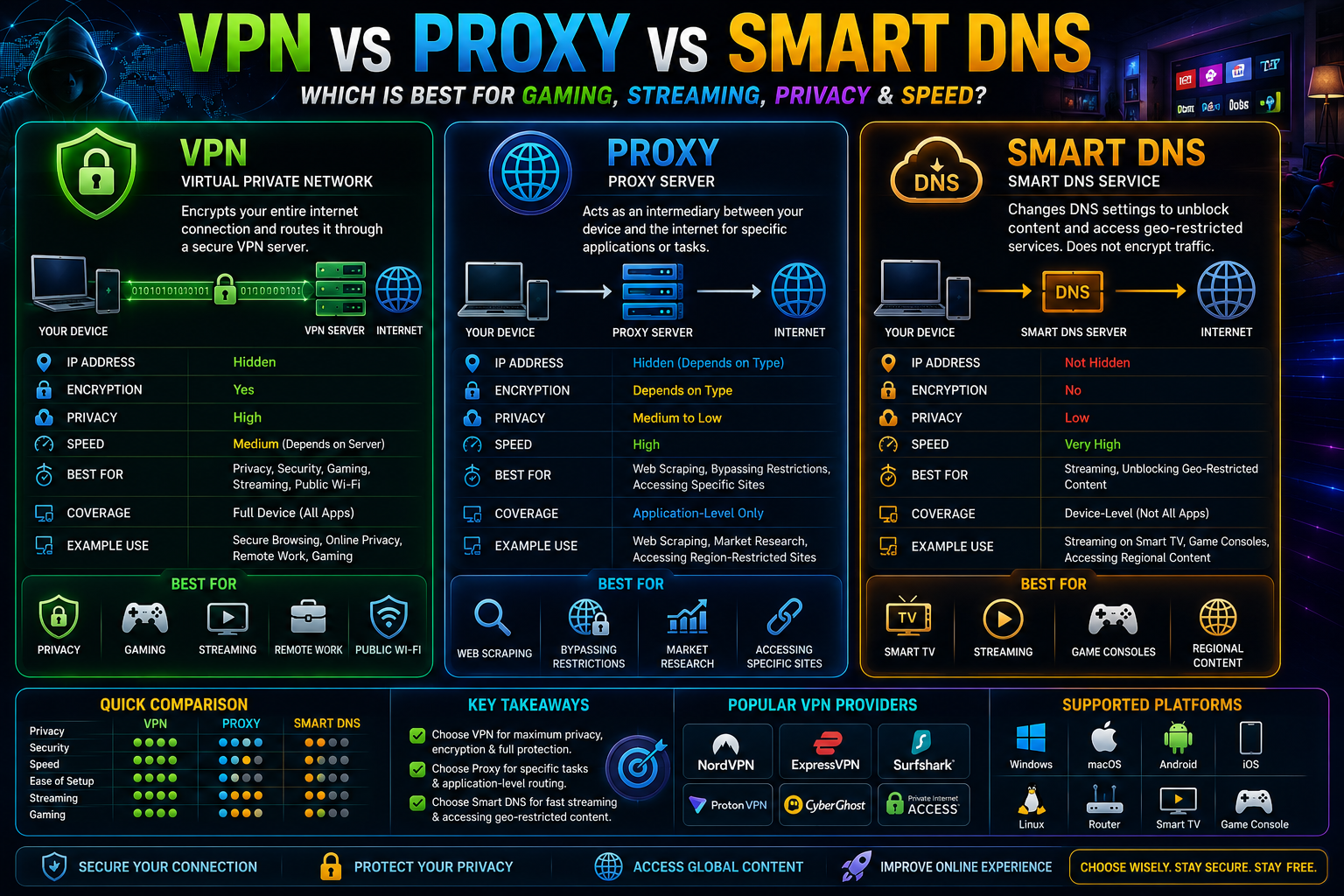
There is no single solution that is best for everyone. Choose a VPN when privacy, encryption and IP protection matter most. Choose a proxy server for specific application-level routing. Choose Smart DNS when compatible streaming and low-overhead location handling are your main priorities.
For gaming, always test real-world ping, packet loss and stability. For privacy, check the provider's security and privacy practices. For streaming, verify device compatibility and service policies.
💬 Comments
Loading comments…